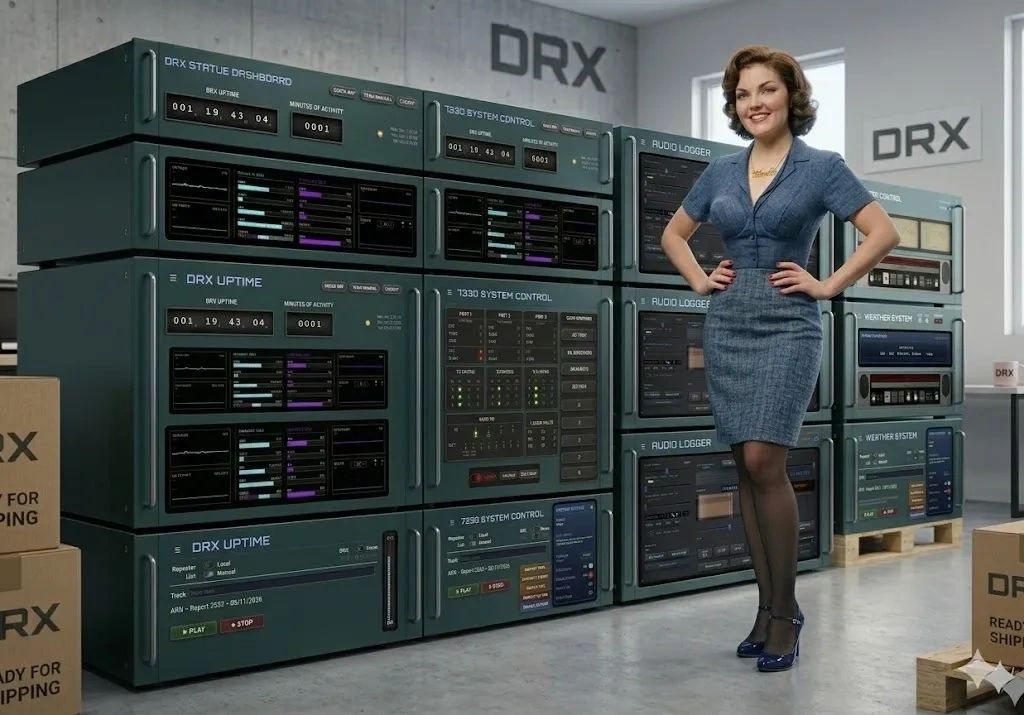
Digital Repeater Xpander
This page will provide information about DRX, which is a software / hardware solution implemented on the 147.505 repeater
Some 505 History
- by Brian K1SOX
You may be wondering about how the repeater generates the different sound effects and voice ID's. The original repeater controller was an ACC RC-850. This could generate "canned" speech words from a male voice called "Romeo" and there were a few female words from "Juliet". A newsletter from ACC mentioned how you could write a batch file on a PC and integrate that with the controller to play wav files.
I mentioned this to Meyer (AA1NQ) and he had the idea of writing a program in Turbo Pascal that could replicate this and allow for a lot more features. So sometime in 1994, we started to work on a program that we called "DVP" - Digital Voice Program. With Meyer doing the coding and me coming up with the integration ideas and doing the testing, we were able to get a stable version of this working. It required an authentic Sound Blaster 16 sound card with ISA slot and, of course, had to run on DOS. We were able to add features like rotating / random ID's and courtesy tones, voice mail for repeater users, echo test and more. Danette (N1QAF) and I created most of the ID's and courtesy tones, most of those are still on the repeater today. At some point, I came up with the current name of the program. The name DVP was changed to DRX - Digital Repeater Xpander.
Willie (N1NKM), fabricated a better interface cable that runs between the controller and the PC. He also helped to solve an issue were the remote base controller kept getting damaged when it was connected to the same data pin that DRX uses. This involved installing a zenor diode to protect the RBI. He also designed a remote reset box in case a controller needs an emergency reset.
In October of 2012, the repeater was moved from West Haven to Woodbridge and ran in a "basic" mode until 2021.
I had rebuilt the repeater to use an SCOM 7K controller with a Vyex DAB - Digital Audio Board. This replaced DRX with a more managable / modern solution. I came up with some code (macros) that run on the 7K to generate timed interval random and rotating wav files, since this wasn't natively included in the system. Some of the other functionality, such as the echo test, minutes of repeater activity and WX conditions, were moved to the Raspberry Pi that doubles as the node for EchoIRLP. I wrote these scripts in BASH.
I had assembled and tested the new repeater system at my house and on 5/22/2021, Dan (KB1MMR), helped me transport it to the Woodbridge site to replace the basic system.
In the spring of 2025, Rick (W1RJC), mentioned to me that the successor to the 7K controller, the 7330, had the ability to receive serial data and use that in a message. He thought that maybe the original DRX could be modified to work with this controller and allow for a system that was easier to manage and allow for more features. That summer, I started writing an entirely new DRX (version 2) that was coded in Python. I designed this to run on a Raspberry Pi. The main component this new version of DRX has a CLI interface but can be controlled via a web page. This is ready to be deployed but requires swapping out the 7K controller for the 7330 and a lot of hardware changes and re-programming of the controllers. The implementation is scheduled for the spring of 2026!
A Note from Nicole
Good day, and welcome to the DRX webpage. I’m Nicole — the voice you hear on the repeater IDs, weather updates, All Star, and other announcements — and I’ve been given quite a bit more to do since DRX 2.0 is online!
DRX Version 2 brings a substantial set of upgrades to the system Brian built for this club: smarter command tools, live signal diagnostics, a complete overhaul of who can do what on the dashboard, tighter integration with the S-COM 7330, and a few quality-of-life touches that make day-to-day operation noticeably easier.
DRX User Features
SID — Speaker Indentification
A true AI system that recognizes a user's voice and displays their callsign on the PUBLIC DRX PAGE. This continuously updates and learns and self corrects through out the user's transmission.
Custom Courtesy Tones
Through the SID system, a user can have a custom courstesy tone of their chosing. This can be permanently assigned to them or to only play for a certain period with a "cooldown" time. It can also be customized to play when the come in through ASL.
Custom Initial ID per user
If the system captures enough of your voice (4-5 seconds) after the repeater hasn't been used for a while, it will speak a greeting and your callsign instead of the usual ID. These can be customized further by the repeater owner. This will be followed by you signal strength and percent quieting into the repeater.
Enhanced WX Conditions Reporting
The weather system has been completely re-written with a much faster and more human sounding readback. It is designed to not interrupt your QSO. If it is time to give the full weather conditions report and the repeater is active, Nicole will simply give the temperature only. There is a user code to bring this up manually.
WX Alerting System
DRX continously monitors the National Weather Service alerts for New Haven County. If an alert comes over, the important details are spoken over the air. A tail message will give a brief indication of the type of alert. This weather alert brief will also be spoken prior to the weather conditions. Once again, DRX tries to be as polite as possible by limiting the number of alerts to just the major ones if there are multiple ones. If the repeater is active, a warning message will play and give the users a chance to stand by if an alert needs to play. There is a user code to manually play back the alert.
Real Time streaming audio (RTK) with excellent audio quality direct from the repeater's discriminator for both the 505 and 42-50 with ≈ 200ms delay! We also have an MP3 stream for weaking signal cell service areas. These are available on the Public page or a compact popout streamer with vintage 1980s cassette deck styling.
A public user web page with lots of features, like SID display, S-Meter, ASL Monitor, insight into ID's, messages and courtesy tone rotation.
CTC — Courtesy Tone Change
A single command that lets you manually advance the courtesy tone early — useful any time you want a fresh tone without waiting for its normal rotation. It’s protected with a one-hour cooldown so it can’t be triggered repeatedly by accident, and it automatically steps aside if a weather alert tone override is active.
S-Meter Test
DRX now reads signal strength directly from the receiver’s RSSI output and displays it as a live, segmented S-meter right on the dashboard. Ask for a readout on demand and Nicole will speak the S-unit back to you over the air — and the system can also capture a reading automatically every time someone keys up, so a report is always ready when you ask for one.
Percent Quieting Test
A companion meter to the S-Meter: calibrate a noise-floor baseline once, then get a live quieting percentage — with a spoken readout. This is available via a user code or automatically duing initial key up and ID.
Deviation Test
User code to test your radios modulation
DTMF Test
User code to test you user keypad and have Nicole read the digits back to you
Newsline Tone Blanking & Station ID
DRX can now listen for Amateur Radio Newsline’s own network cue tones in real time and automatically replace them with the club’s own station identification — timed precisely so listeners hear your ID, not the network’s tone burst, without any awkward overlap or gap. A simpler background-ID mode, which mixes the ID in periodically without needing tone detection at all, remains available as well.
More to be added ...